Disclosure: We are a professional review site that receives compensation from the companies whose products we review. The opinions here are our own. We may earn a commission if you sign up through links on this page.
Updated 24 November 2026 · By the KYI Team
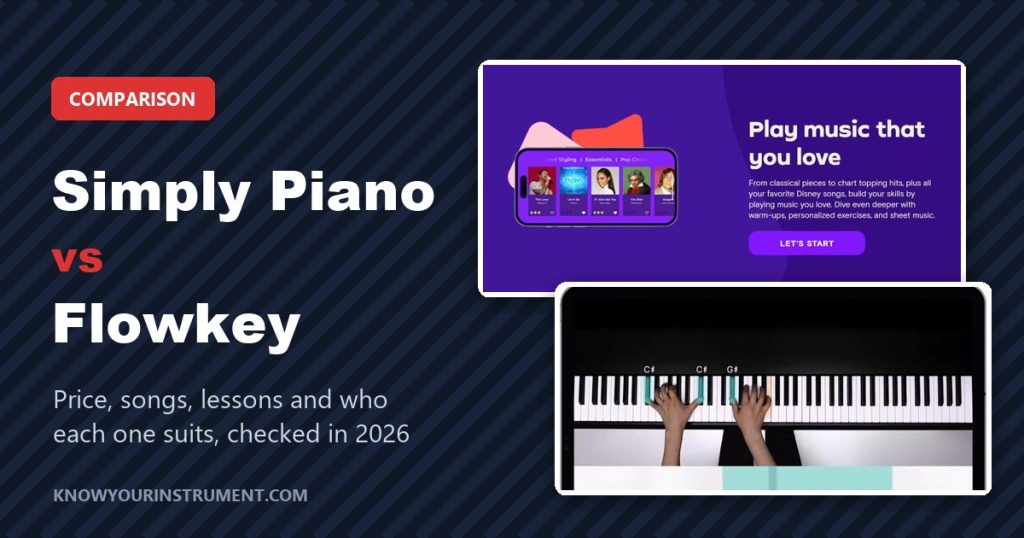
Simply Piano and Flowkey are the two piano apps people most often choose between. Both listen to you play through your phone, tablet or computer and tell you when you hit the right notes, both have big song libraries and both cost roughly the same. But they teach in very different ways, and the right one depends on how you like to learn. Here is how they compare, and which we would pick.
Quick verdict
- Pick Simply Piano if you are a complete beginner or buying for a child, you want a fun, game-like start that gets you practising every day, and you will learn on a phone or tablet.
- Pick Flowkey if you want to learn particular songs, you like to watch a real pianist’s hands, you want to practise on a computer as well as a tablet, or you would like the cheaper classical-only plan.
Our pick for most adults is Flowkey, which scores 7.8 out of 10 in our Flowkey review against 7.4 for Simply Piano. Simply Piano is the better choice for children and for anyone who has never touched a keyboard and needs the extra hand-holding. Neither will make you a rounded pianist on its own: both are best used alongside a teacher or a method book.
Simply Piano vs Flowkey at a glance
| Simply Piano | Flowkey | |
|---|---|---|
| Yearly price (US) | $119.99 to $149.99 (prices vary) | Classic $99.99, Premium $149.99 |
| Family plan | $179.99 a year, 5 profiles, plus Simply’s guitar, singing and drawing apps | $224.99 a year, 5 profiles |
| Free version | Piano Basics course, no time limit | A few songs and lessons, no time limit |
| Free trial | 7 days on the yearly plan | 7 days of Premium on the yearly plans |
| Money back | 30 days for website and Google Play purchases; App Store through Apple | 14-day money-back guarantee |
| How it teaches | Game-like lessons on a simple stave, with every note marked right or wrong | Video of a pianist’s hands above scrolling sheet music |
| Songs | 5,000+, each in several levels | Thousands; pop, film and game music need Premium |
| Courses | 450+ courses and mini lessons; Soloist and Chords paths | Shorter step-by-step courses |
| Runs on | iPhone, iPad, Android, Chromebook. No Windows, Mac or web version | Web browser on Windows, Mac and Chromebook, plus iPhone, iPad and Android |
| Connect a keyboard | Microphone, or MIDI (Bluetooth on iPhone and iPad, or a cable) | Microphone, or a USB or MIDI cable |
| Best for | Complete beginners and children | Learning songs you love, at any level |
They teach in different ways
This is the real difference between them, and it matters more than the price.
Simply Piano works like a game. The screen shows a simple stave with notes moving towards you, and as you play each one lights up: blue when you got it right, yellow when you needed a hint, red when you missed. Lessons are short, a backing track plays along, you earn stars and keep weekly streaks, and the app moves you on step by step. Total beginners find it very easy to get going, and it is very good at getting people to practise every day.
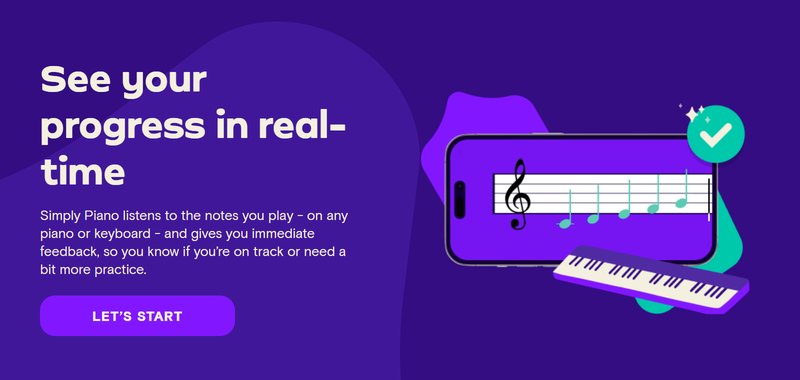
Simply Piano marks each note as you play it, as shown on Simply’s website.
Flowkey works like a video lesson you can control. A pianist’s hands play across the top of the screen with the keys lit up, and the sheet music scrolls underneath. Wait Mode listens and holds the music until you play the right notes, and you can slow a piece down, loop a tricky bar or practise one hand at a time. Seeing real hands means you can copy the fingering, which many learners say is why they chose it.
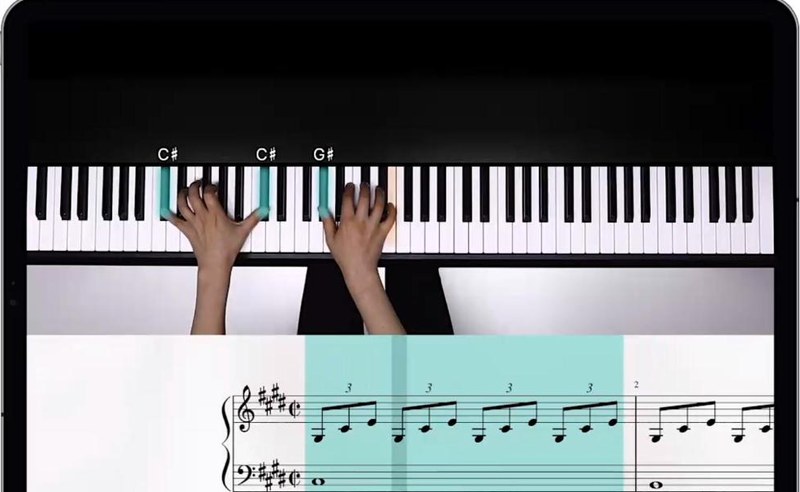
The Flowkey player, as shown on flowkey.com: the pianist’s hands above the sheet music.
Neither app can see you, so neither can correct your posture, wrists or hand position, and both judge mainly whether you played the right notes rather than how well you played them. Simply Piano judges timing loosely, and Flowkey’s Wait Mode simply waits until you find the note, so neither does much for your rhythm.
Price
On paper they cost about the same: around $150 a year for the full app. The details differ.
- Simply Piano doesn’t publish one fixed price. In November 2026 the US App Store listed the yearly plan at $119.99 or $149.99 and the Family plan at $179.99 a year. On Simply’s UK website the yearly plan was £129.90 and the monthly plan £13.90, with a countdown “discount” on the payment page. The free trial is only on the yearly plan.
- Flowkey has fixed US prices: Classic $16.49 a month or $99.99 a year, Premium $24.99 a month or $149.99 a year, and Family $34.99 a month or $224.99 a year. Classic has the courses and the classical and public-domain songs; Premium adds pop, film, TV and game music.
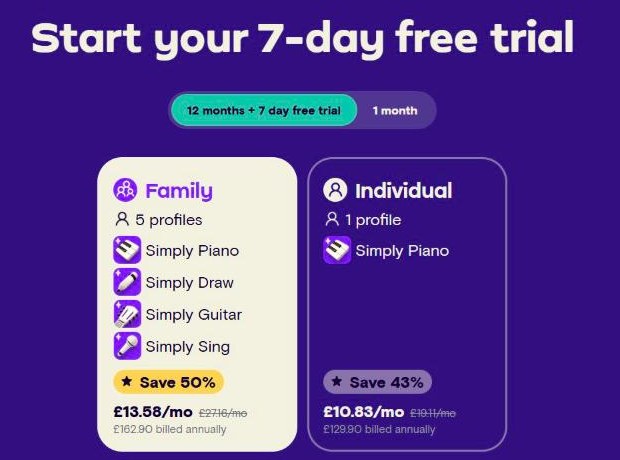
Simply Piano’s yearly plans on its UK website, November 2026.
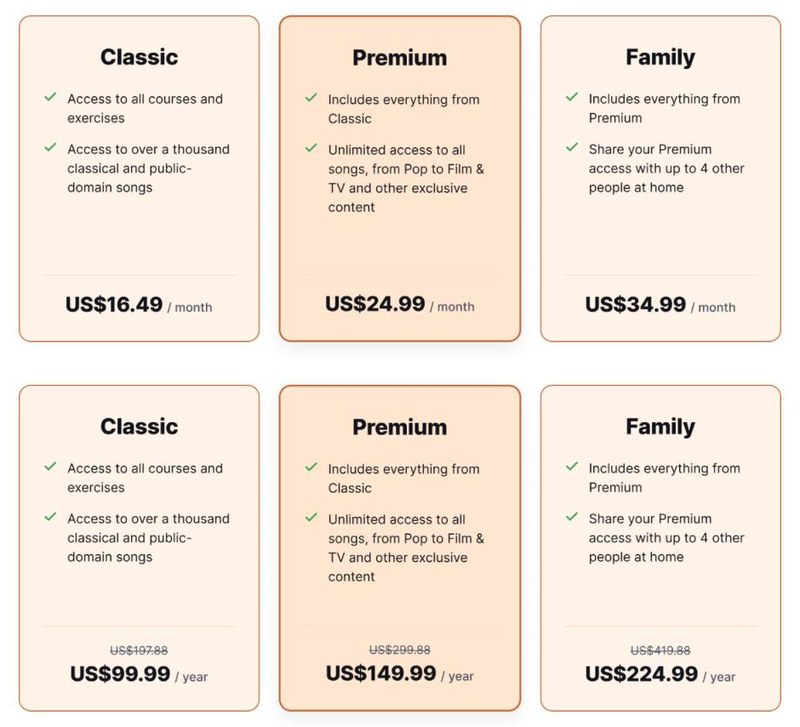
Flowkey’s US prices from its help centre, November 2026.
If you mainly want classical music, Flowkey Classic is the cheapest full plan of the two. For a family, Simply Piano is better value: its Family plan costs less than Flowkey’s and also includes Simply’s guitar, singing and drawing apps. Both have a free version with no time limit, so try both before you pay.
Songs
Both are built around songs, and both offer most pieces in several versions from beginner to advanced. Simply Piano says it has more than 5,000 songs, from classical to Disney and chart hits, and you can play them from ordinary sheet music as well as the scrolling notes. Flowkey has thousands, from Bach and Chopin to film and game music, but with its newer plans the modern songs are in Premium only.
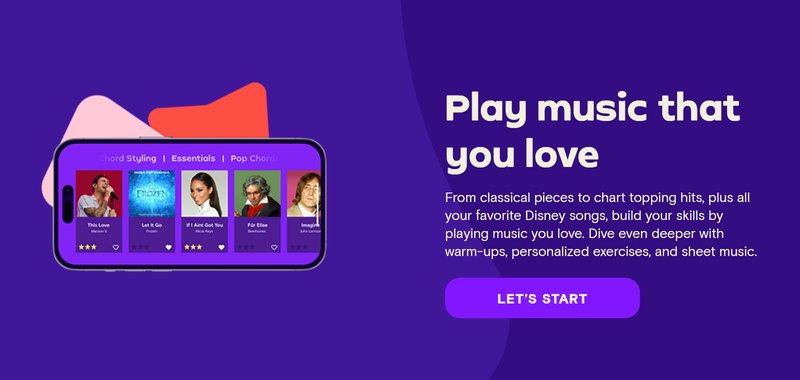
Simply Piano’s song library, as shown on Simply’s website.
One thing to watch with Flowkey: in 2024 some members found pop, anime and game pieces removed from the library, some halfway through learning them. If one particular song is your reason for subscribing to either app, check it is there during the free trial.
Courses and learning to read music
Simply Piano has more structure. After the free Piano Basics course you choose a Soloist path (melodies, range and technique) or a Chords path (chords and accompaniment), and Simply says there are more than 450 courses and mini lessons in all. Flowkey’s courses are clear and well paced but shorter, and some learners finish them within a few weeks and are left with just the song library.
Neither is a strong teacher of sight reading, rhythm or technique. With Simply Piano, learners say it is easy to end up following the scrolling notes and finger numbers rather than really reading the stave. With Flowkey, it is easy to copy the hands on screen instead of reading the music below them. Most people outgrow both after a few months, and the advice from experienced players is the same for each: add a teacher, or a method book such as Faber’s Adult Piano Adventures or Alfred’s Adult All-in-One.
Devices and setting up
This can decide it for you. Simply Piano only runs on phones and tablets (iPhone, iPad and Android) and on Chromebooks, which Simply says are not fully supported. There is no Windows, Mac or web version. Flowkey runs in a web browser on a Windows PC, Mac or Chromebook, as well as on iPhone, iPad and Android, so you can practise on a laptop or switch between devices.
Both work with an acoustic piano, a digital piano or a keyboard by listening through the microphone. With a digital instrument, a direct connection is more reliable: Flowkey takes a USB or MIDI cable, and Simply Piano supports Bluetooth MIDI on iPhone and iPad or a cable with an adapter. A tablet on the music stand is the most comfortable set-up for either.
What learners say
We read through years of comments from people who have used one or both apps. Those who have tried several apps tend to call Simply Piano the better first step for a complete beginner, because it is more playful and more structured. Flowkey wins praise for Wait Mode, for watching real hands and for its choice of songs, especially from people who want to learn particular pieces. The complaints are similar for both: they check the right notes at roughly the right time but not how well you play, they get expensive if you only learn slowly, and many people plateau after a few months. Simply Piano also draws grumbles about its sign-up offers and price changes, and Flowkey about songs being removed.
When people ask which of the two to buy, the most common reply from experienced players is to use either one alongside a teacher or a book, and many suggest Piano Marvel for anyone who wants to read music properly.
Who should pick which
- A complete beginner who wants an easy, fun start: Simply Piano.
- A child: Simply Piano, ideally with a teacher as well.
- An adult who wants to learn specific songs: Flowkey.
- Someone returning to the piano who can already read a little: Flowkey.
- You want to practise on a laptop or desktop: Flowkey, as Simply Piano has no computer version.
- A family with several learners or instruments: Simply Piano’s Family plan.
- You mostly want classical music on a budget: Flowkey Classic.
Want more lessons than either? Playground Sessions has a fuller video course built around songs, and Skoove offers a step-by-step path on a phone or tablet. Our best online piano lessons roundup compares them all.
How we tested: We compared the two apps’ plans, prices and policies on their websites, help centres and the App Store in November 2026, went through Simply Piano’s sign-up, drew on our own Flowkey account for our Flowkey review, and read what learners say after months with each app.
Frequently asked questions
Which is better, Simply Piano or Flowkey?
Simply Piano is better for complete beginners and children, because its game-like lessons are easier to start with and keep you practising. Flowkey is better for learning particular songs, for watching a pianist’s hands and for practising on a computer. For most adults we would pick Flowkey.
Which is cheaper, Simply Piano or Flowkey?
Flowkey Classic, at $99.99 a year in the US, is the cheapest full plan of the two, but it leaves out pop and film songs. With all songs included they cost about the same, around $120 to $150 a year. For a family, Simply Piano’s plan is cheaper and includes its other apps.
Can I use Simply Piano or Flowkey on a computer?
Flowkey runs in a web browser on Windows, Mac and Chromebook. Simply Piano has no Windows, Mac or web version; it runs on phones, tablets and, not fully supported, Chromebooks.
Which is better for kids?
Simply Piano. Its stars, streaks and short game-like lessons suit children well, and the Family plan gives up to five people their own profile. A teacher alongside it will catch the hand position and posture problems no app can see.
Which is better for learning to read music?
Neither is strong at it. Simply Piano gives you more practice on the stave, and Flowkey shows real sheet music under the video, but learners often follow the scrolling notes or the hands instead. A method book or an app built around sight reading, such as Piano Marvel, is the better route.
Do Simply Piano and Flowkey have free trials?
Both offer a 7-day free trial on their yearly plans, and both turn into a paid yearly subscription unless you cancel at least 24 hours before the trial ends. Both also have a free version with no time limit.
Is Flowkey worth the money?
Yes if your goal is to learn songs you love and you use it with a teacher or a method book. On its own it is limited, because the courses are short and it can’t correct your technique.
Is Simply Piano worth it?
For a complete beginner who wants a fun way to start and the push to practise every day, yes. Most learners outgrow it after a few months and add a teacher or a more thorough course.
Who makes Simply Piano and Flowkey?
Simply Piano is made by Simply, formerly called JoyTunes, an Israeli company based in Tel Aviv. Flowkey is made by flowkey GmbH, a company based in Berlin, Germany.
Final verdict
If you are starting from nothing, or buying for a child, Simply Piano is the friendlier way in and the better habit-builder. If you want to learn the songs you love, see how a pianist plays them and practise on any device, Flowkey is the better app, and it is the one we would choose for most adults. Both have a free version and a 7-day trial, so the best test is to try each for a few days on your own piano and keep the one you actually want to come back to.