Disclosure: We are a professional review site that receives compensation from the companies whose products we review. The opinions here are our own. We may earn a commission if you sign up through links on this page.
Updated 24 November 2026 · By the KYI Team
Our verdict
Our score: 6.8 out of 10. Simply Guitar is the gentlest way we know for someone who has never held a guitar to get started. You prop a phone or tablet in front of you, watch a short video, and the app listens through the microphone while you play your first chords, telling you what you got right. It adds new chords slowly, gives you simple songs to play with them, and is good at getting you to pick up the guitar every week. The catch is that there isn’t much of it. Many learners finish the courses within a few months, the listening is sometimes wrong in both directions, and it never checks your rhythm or technique. It is also phone and tablet only, and the price you are offered varies.
| Best for | Complete beginners, children and families who want an easy, step-by-step start with chords and strumming, and an app that listens |
| Pick something else if | You want a course that takes you well past the beginner stage, feedback on rhythm and technique, or to learn on a computer |
| Price | About $20 a month, or $119.99 to $199.99 a year in the US App Store depending on plan and offer; Family plan $179.99. Prices vary by country and where you buy |
| Free version | Only the first part of the first course, Guitar Basics I |
| Free trial | 7 days, on the yearly plan only |
| Money back | Full refund within 30 days for card, PayPal and Google Play purchases; App Store purchases go through Apple |
| Where it runs | iPhone, iPad, Android phones and tablets, and Chromebooks (not fully supported). There is no Windows, Mac or web version |
| Guitars | Any six-string: acoustic, classical or electric (through an amp). Not bass or ukulele |
Still choosing? Our best guitar learning apps guide compares seven apps, and our Yousician review covers its closest rival.
How much does Simply Guitar cost?
Simply Guitar doesn’t publish a fixed price. Its help centre says the price depends on your country, on whether you buy through the App Store, Google Play or Simply’s website, and on the plan, and that limited-time offers mean you may not pay what someone else did. There are two plans:
- Individual: one profile and Simply Guitar only.
- Family: five profiles and all of Simply’s apps: Simply Guitar, Simply Piano, Simply Sing and Simply Draw. If your household already has a Simply Piano Family plan, Simply Guitar is included.
In the US App Store in November 2026, the Simply Guitar Premium subscription was listed at $119.99, $149.99 and $199.99, with several items at $19.99, which matches the $20 a month that learners report paying on the monthly plan. The Family option (called Full Access in the store) was listed at $29.99 and $179.99. Apple doesn’t show how long each one lasts, so open the app and go to Menu, Go Premium to see the exact plans and prices offered to you before you choose.
If you plan to stick with it for a year, the yearly plan is much cheaper than paying monthly, and it is the only one with a free trial. But be honest about how long you will use it: several learners finished all the courses in two to six months, and for them a month or two of the monthly plan would have cost less than a year.
Is Simply Guitar free?
Only a little of it. You can download the app, make an account and play the first part of the first course, Guitar Basics I, which covers the strings, frets and tuning and your first chords. That is enough to check that the app hears your guitar properly and to see whether you like the style. The song library opens after the second lesson but needs a subscription to play, and so do the chord library and every later course. Many people hit the paywall within a short first session.
Free trial, refunds and cancelling
The yearly plans start with a 7-day free trial. The monthly plan has no trial, and you get one trial per account or Apple ID, even if you make a new account. You need a payment method to start it, and it turns into a paid yearly subscription unless you cancel at least 24 hours before it ends. Deleting the app does not cancel it.
- Bought in the app on an iPhone or iPad: cancel in your iPhone’s Settings, under your name and Subscriptions. Refunds are handled by Apple.
- Bought on Android through Google Play: cancel in the Play Store under Payments & subscriptions. Google refunds in full within 30 days.
- Paid by card or PayPal on Simply’s website: on Android, cancel in the app under Menu, My Account, More Info, Cancel Renewal; on an iPhone or iPad, contact Simply’s support (in the app or at guitar@hellosimply.com), which is also the route if you paid with Apple Pay on the website. PayPal subscriptions can also be stopped in PayPal. Simply gives a full refund within 30 days of a card or PayPal purchase.
You keep access until the end of the period you have paid for, and your progress is saved if you come back later.
How Simply Guitar works
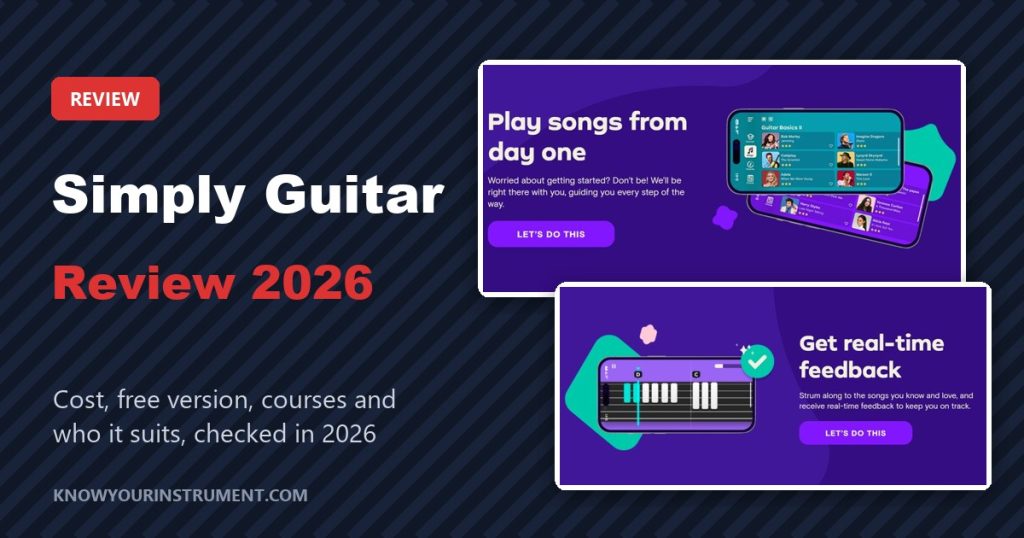
You put your phone or tablet in front of you, tune up with the built-in tuner, and work through short lessons. Each new skill is shown in a short video by a teacher, then you play it while the app listens through the microphone. Notes and chords scroll across a tab-style track, and each one lights up when the app hears it, so you know straight away what you got right and what to try again.
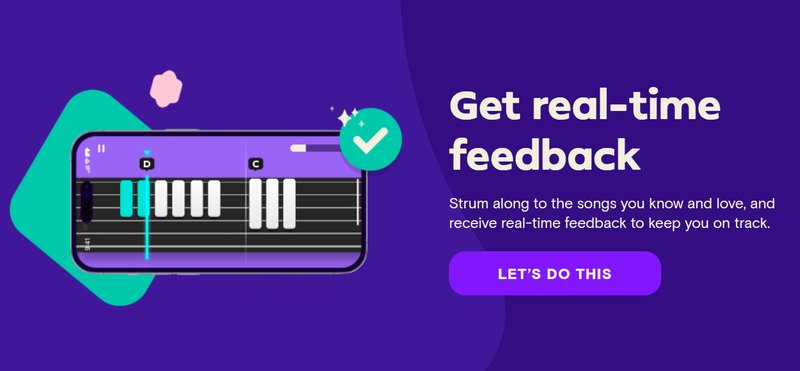
Real-time feedback, as shown on Simply’s website: each strum is marked as the app hears it.
The pace is the app’s strength. It teaches a couple of chords, gives you several simple songs that use only those, then adds two more and repeats, so you get plenty of practice changing between shapes before anything new arrives. You can slow exercises down and build back up to full speed, earn stars, and keep a weekly practice streak going. Some people who gave up on YouTube lessons because of all the pausing and rewinding find this much easier to stick with.
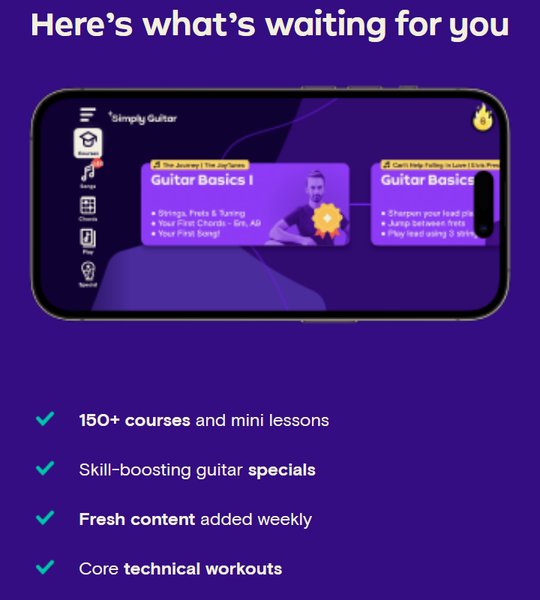
The home screen, as shown during Simply Guitar’s web sign-up: the first course starts with the strings, frets and tuning, and the chords Em and A9.
What it can’t do is watch you. It hears what you play, so it can’t see your hand position, posture or how you hold the pick, and it doesn’t judge your rhythm. The listening also isn’t perfect: some learners say it passed chords they knew were wrong, and others that it missed notes they played cleanly. Simply’s help centre says it works best in a quiet room, with the guitar tuned in the app every time, the phone case off, and headphones in sections with a backing track.
What you need: guitar and device
Simply Guitar works with any six-string guitar: acoustic, classical or electric. It doesn’t work with a bass or a ukulele. An electric guitar needs to go through an amp, on a clean sound with no effects, placed close to your phone so the microphone can hear it. On an iPhone or iPad you can plug in instead with an iRig HD X interface. Wired headphones or AirPods are best; other Bluetooth headphones can add a delay.
The app runs on iPhone and iPad (iOS 15 or later) and on Android phones and tablets (Android 7 or later). Simply says it should also work on a Chromebook, although that isn’t fully supported. There is no version for a Windows PC, a Mac or a web browser. Left-handed players can use it, but there is no left-handed mode: Simply’s advice is to learn right-handed, use a left-handed guitar, or flip the chord diagrams in your head.
The courses
Everyone starts with the basics courses. After those the app splits into a Lead path, for melodies, riffs, reading tabs and technique exercises, and a Chords path, for the chords of pop, rock and jazz songs, smooth chord changes and strumming patterns, with combined courses that use both. Simply says there are more than 150 courses and mini lessons, plus short technical workouts, “specials” on particular skills and Simply Workshops, video sessions with expert teachers that come with a subscription.
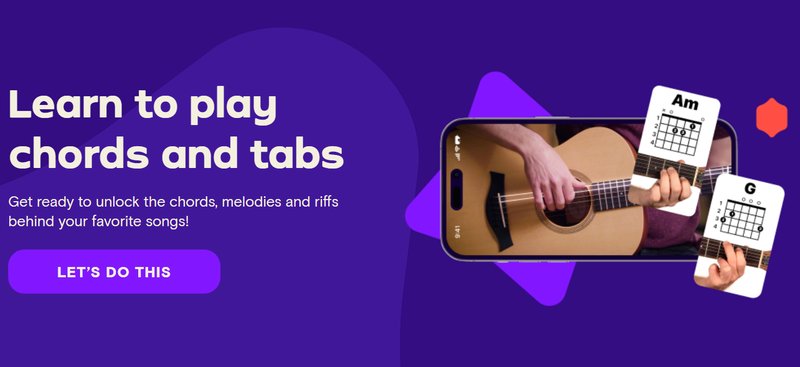
Video lessons and chord diagrams, as shown on Simply’s website.
The paths end at Fretboard Master I on the Lead side, Fingerpicking Basics III on the Chords side and Rock Legend IV in the combined courses. That is roughly where a good beginner course ends: open chords, strumming songs, simple riffs and some fingerpicking. Learners who finish it describe being able to play open chords and change between them, strum a few patterns and play simplified fingerpicked songs, and wanting more on rhythm, theory and improvising. If you finish one of five named courses you can also buy a Trinity College London certificate for $25 each.
The song library and Play
The songs are the other draw. During sign-up Simply says there are more than 1,000, from pop and rock to country, folk and film music, with new ones added every week. You can learn a song step by step, the same way as a lesson, or jump straight to the full version, and the arrangements are simplified to suit your level.
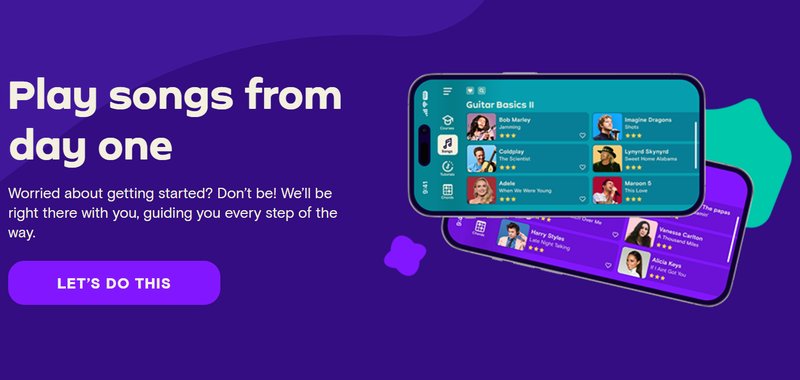
The song list, as shown on Simply’s website.
On iPhone and iPad there is also Play, which opens after Guitar Basics III. It scrolls the chords and lyrics of a song as it plays, with a basic or full strumming version, so you can strum along without being marked. It is a nice step towards playing from a chord sheet, but it isn’t on Android yet. If one particular song is your reason for signing up, search for it during the free lessons or the trial.
What learners say after using it
We read several years of comments from people who have used Simply Guitar, from complete beginners to parents learning alongside their children, and from experienced players and teachers who have watched others start with it. The same points come up again and again.
What they like: how easy it is to begin. People who have tried several guitar apps often say Simply Guitar was the easiest for someone brand new, and a couple preferred it to Fender Play because it is better organised and moves more gently. Learners like the way it adds two new chords at a time on top of the ones you already know, with a batch of simple songs for each set, and the option to slow an exercise down before playing it at full speed. Many say it got them picking up the guitar every day, and parents report good progress from children who use it, sometimes alongside a tutor.
What they don’t: the most common complaint is that there isn’t much of it. Several learners finished the courses in two to six months, one in about two months at 45 minutes a day, and then had to look for something else; one regretted paying for a whole year. The second complaint is the listening: some found it passed chords they knew were wrong, others that it missed notes they played cleanly, especially single notes picked up through a tablet microphone. It doesn’t check rhythm, posture or how you hold the pick, and experienced players warn that an app can’t replace someone watching your hands. Price is the other grumble, mainly because the free part runs out after the first lessons and the monthly plan feels expensive for what is mostly a beginner course.
Their advice: try the free lessons before paying, think about whether you need a whole year or only a month or two, and plan your next step from the start. JustinGuitar’s free course is the next step people mention most often; Yousician, Pickup Music and full video courses come up too. A few lessons with a teacher early on, to check your posture and technique, is the other tip that comes up again and again. And if your household already has a Simply Piano Family plan, Simply Guitar is included.
Pros and cons
| Pros | Cons |
|---|---|
|
|
When you finish Simply Guitar
Because the courses end at a beginner level, the most useful thing you can do is decide on your next step before you start. If you want to keep learning real songs, a full video course takes you much further. Guitar Tricks starts at the same point as Simply Guitar but carries on through rhythm, lead, theory and styles, teaches songs as they were recorded, and lets you send a video of your playing to an instructor. It has a 14-day free trial, so you can try it alongside Simply Guitar before your subscription renews.
Simply Guitar vs Yousician, Fender Play, JustinGuitar, Guitar Tricks and Pickup Music
| Price (US) | Listens to you? | Best at | |
|---|---|---|---|
| Simply Guitar | About $20 a month, or $119.99 to $199.99 a year | Yes | The gentlest first few weeks |
| Yousician | $19.99 a month or $119.99 a year | Yes | A daily habit, with more songs and levels |
| Fender Play | $19.99 a month or $149.99 a year | Yes, in Feedback Mode | Short, low-pressure video lessons |
| JustinGuitar | Website course free; app from $64.99 a year | No | A thorough beginner course for free |
| Guitar Tricks | $29.95 a month or $179 a year | No, but an instructor reviews your videos | Learning real songs properly, beginner to advanced |
| Pickup Music | $39.99 a month or $239 a year | No, but coaches review your videos | Getting past the beginner stage |
Simply Guitar and Yousician are the two apps people most often weigh up, because both listen to you play. Simply Guitar is easier for the first few weeks; Yousician goes further, has more songs, more chord and scale drills and more game features, and covers bass and ukulele too, and several learners moved from one to the other. Fender Play is the closest in style of the video courses and also listens in its Feedback Mode, but a few beginners found it moved faster than Simply Guitar. JustinGuitar’s website course is free, more thorough and the next step learners recommend most often, although it doesn’t listen to you. Our Guitar Tricks vs Yousician comparison covers the difference between a listening app and a full course in more detail.
If you want a teacher to check your playing, the two paid courses that include it are Guitar Tricks, for beginners and anyone who wants to learn songs properly, and Pickup Music, for players who already know the basics and feel stuck. For a wider look, see our best online guitar lessons roundup, and if you are also thinking about piano, our Simply Piano review covers Simply’s piano app.
How we tested: We went through Simply Guitar’s sign-up on its website, checked the plans, prices and policies on hellosimply.com, in its help centre and in the App Store in November 2026, and read through what learners say about it after months of use.
Frequently asked questions
Is Simply Guitar worth it?
For a complete beginner, a child or a family who wants the gentlest possible start and an app that listens, yes, for the first few months. If you want to go well past the beginner stage or get feedback on your rhythm and technique, plan to move on to a fuller course, and think about whether you need a whole year.
How much does Simply Guitar cost per month?
Prices vary by country and where you buy. In November 2026 the US App Store listed items at $19.99, which matches the $20 a month learners report on the monthly plan, and yearly-level prices of $119.99 to $199.99 for Simply Guitar Premium; the Family option was $29.99 and $179.99. Your exact price shows in the app under Menu, Go Premium.
Is Simply Guitar actually free?
Only the first part of the first course, Guitar Basics I, is free. The songs, the chord library and all the later courses need a subscription.
Does Simply Guitar have a free trial?
Yes, 7 days on the yearly plan only, one per account or Apple ID. It becomes a paid yearly subscription unless you cancel at least 24 hours before it ends.
Which is better, Simply Guitar or Yousician?
Simply Guitar is easier for the first few weeks. Yousician goes further, has more songs and more game features, and covers more instruments. Both listen to you play, and neither checks your technique.
Is Simply Guitar better than JustinGuitar?
They suit different people. Simply Guitar listens to you and tells you when you got it right, which some beginners find easier to follow. JustinGuitar’s website course is free, much more thorough and goes far beyond the beginner stage, but it doesn’t listen to you play.
Does Simply Guitar work with an electric guitar?
Yes. It works with acoustic, classical and electric six-string guitars. An electric needs to go through an amp on a clean sound, near your phone, or into an iRig HD X interface on an iPhone or iPad. It doesn’t work with a bass or a ukulele.
Does Simply Guitar work on a computer?
Only on a Chromebook, and Simply says that isn’t fully supported. There is no version for Windows, Mac or a web browser; it is made for phones and tablets.
Can left-handed players use Simply Guitar?
Yes, but there is no left-handed mode. Simply suggests learning right-handed, using a left-handed guitar, or flipping the chord diagrams yourself.
How do I cancel Simply Guitar?
Cancel where you paid: in your iPhone’s Settings under Subscriptions, or in the Google Play Store under Payments & subscriptions. For a card purchase on the website, cancel in the Android app under Menu, My Account, More Info, or contact Simply’s support if you use an iPhone. Deleting the app doesn’t cancel the subscription.
Is Simply Guitar included with Simply Piano?
Only on the Family plan, which includes all of Simply’s apps for up to five people. A Simply Piano Individual plan doesn’t include Simply Guitar.
Final verdict
Simply Guitar does the first few weeks of learning the guitar very well: it makes the first chords feel achievable, gives you songs to play with them, and gets you picking up the guitar regularly. Start with the free lessons to check that it hears your guitar, and if you enjoy it, choose the plan that matches how long you will really use it. Just don’t expect it to take you far on its own. When the courses run out, or the songs start to feel too simple, that is the time to move on to a full course.