Disclosure: We are a professional review site that receives compensation from the companies whose products we review. The opinions here are our own. We may earn a commission if you sign up through links on this page.
Updated 24 November 2026 · By the KYI Team
Our verdict
Our score: 7.4 out of 10. Simply Piano is the easiest way we know for a complete beginner to start playing. You put a phone or tablet on the music stand, the app listens through the microphone, and within minutes you are playing simple tunes while it tells you which notes you got right. The song library is huge, the lessons are short and friendly, and it is very good at getting you to practise every day. It is much less good at teaching rhythm, technique and real sight reading, so many learners hit a wall after a few months. It is also only on phones, tablets and Chromebooks, and the price you are offered can vary.
| Best for | Complete beginners, children and adults returning to the piano who want a friendly, game-like start and the motivation to practise |
| Pick something else if | You want to learn to read music properly, need feedback on rhythm and technique, or want to learn on a computer |
| Price | About $120 to $150 a year in the US App Store; £129.90 a year or £13.90 a month on Simply’s UK website. Prices vary and are often shown with a discount |
| Free version | Yes: the Piano Basics course and a short on-screen keyboard course, with no time limit |
| Free trial | 7 days on the yearly plan |
| Money back | Full refund within 30 days for website and Google Play purchases; App Store purchases go through Apple |
| Where it runs | iPhone, iPad, Android phones and tablets, and Chromebooks. There is no Windows, Mac or web version |
Still choosing? Our best online piano lessons roundup compares the main options, and our Flowkey review covers its closest rival.
How much does Simply Piano cost?
Simply Piano doesn’t publish one fixed price. What you are offered depends on your country, where you buy (the website, the App Store or Google Play) and, it seems, on which offer Simply is testing that week. There are three plans:
- Individual: one profile and Simply Piano only.
- Duo: two profiles, Simply Piano only. It isn’t offered everywhere.
- Family: five profiles and all of Simply’s apps: Simply Piano, Simply Guitar, Simply Sing and Simply Draw.
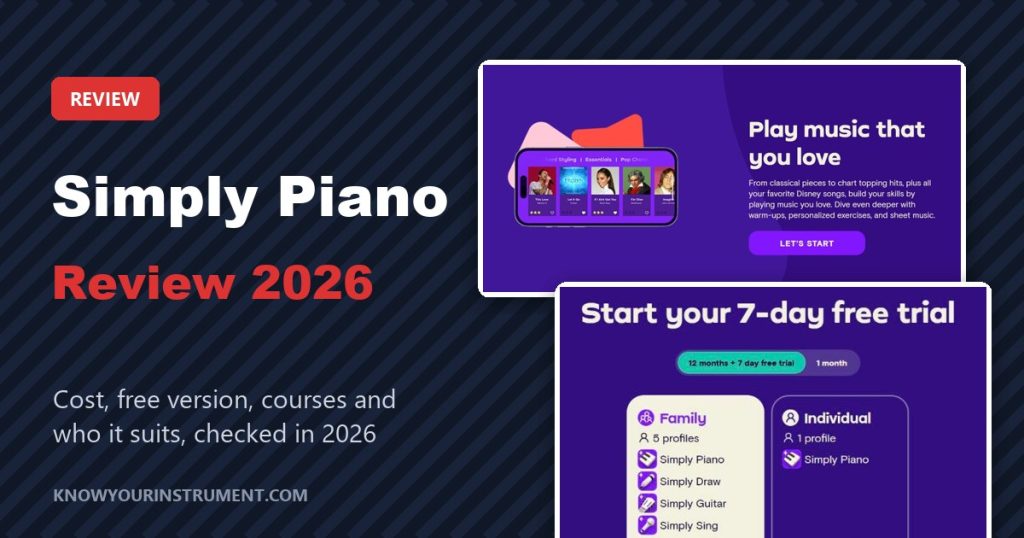
When we went through the sign-up on Simply’s UK website in November 2026, the yearly Individual plan was £129.90 and the Family plan £162.90. Paying monthly was £13.90 for one person or £17.90 for the family. In the US App Store the yearly plan with the free trial is listed at $119.99 or $149.99, the yearly Family plan at $179.99, and there are shorter plans too, including three months for $74.99.
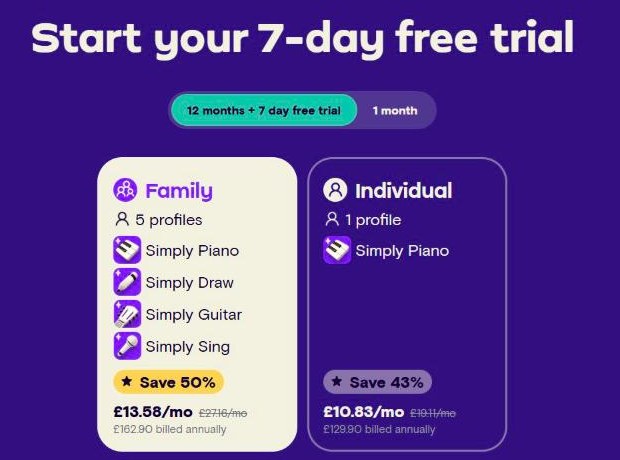
Simply Piano’s yearly plans on its UK website in November 2026. The free trial is only on the yearly plans.
Expect some sales pressure. The payment page counted down a “50% discount” timer and showed crossed-out “before” prices next to every plan. In the UK the yearly plan costs about a fifth less than twelve months at the monthly price (£129.90 against £166.80), and it is the only way to get the free trial, so if you plan to stick with it, it is the better buy. There is no need to rush because of the timer, though: offers change often, and the price on the website can differ from the one in the app.
Is Simply Piano free?
Partly. You can download the app, make an account and play the Piano Basics course for free, along with a short course you play on the on-screen keyboard. There is no time limit and you don’t need to enter a card. That is enough to find out whether the app hears your piano or keyboard properly and whether you enjoy learning this way. The song library, the later courses and the practice tools need a subscription.
Free trial, refunds and cancelling
The yearly plans start with a 7-day free trial, and you get one trial per account. You need a payment method to start it, and it turns into a paid yearly subscription unless you cancel at least 24 hours before it ends. Deleting the app does not cancel it.
- Bought in the app on an iPhone or iPad: cancel in your iPhone’s Settings, under your name and Subscriptions. Refunds are handled by Apple.
- Bought on Android: cancel in the Play Store under Payments & subscriptions. Google refunds within 30 days.
- Bought on Simply’s website: cancel in the app under Menu, Settings, My Account, Manage. Simply gives a full refund within 30 days of purchase.
You keep access until the end of the period you have paid for.
How Simply Piano works
You prop your phone or tablet on the piano, and the app listens through its microphone. The screen shows a simple stave with the notes coming towards you, and as you play, each note lights up: blue when you got it right first time, yellow when you got it right after a hint, red when it was wrong. If you get stuck, a keyboard picture shows you which key to press.
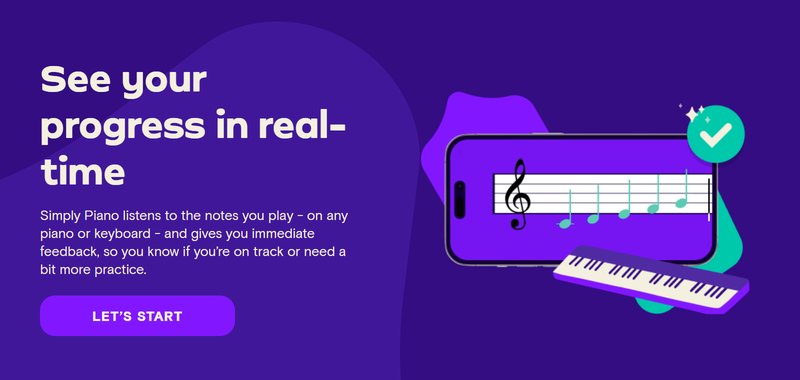
Real-time feedback, as shown on Simply’s website: the app marks each note you play.
Lessons are short, often a few minutes, and are built so that you are playing something that sounds like music almost straight away. A backing track plays along, you earn stars, and weekly streaks keep you coming back. That is the app’s real strength: lots of people who have never managed to practise regularly find that they do with Simply Piano.
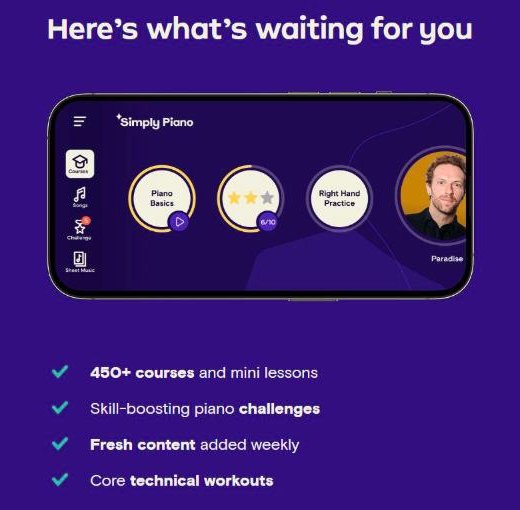
The home screen, as shown during Simply’s web sign-up: courses on the left, a song to work towards on the right.
What it can’t do is watch you. It hears which notes you played, so it can’t see your wrists, posture or fingering, and it judges timing loosely, so you can score well with uneven rhythm. Some learners who use it for months find that a teacher later has to correct habits they picked up along the way.
What you need: piano, keyboard and device
Simply Piano works with an acoustic piano, a digital piano or a keyboard. With a digital instrument you can also connect it directly, which is more reliable than the microphone: by Bluetooth MIDI on an iPhone or iPad, or with a cable and adapter on iPhone, iPad and Android. Use wired headphones if you want to play quietly, because Bluetooth headphones add a delay. If you don’t have a keyboard yet, the free on-screen course lets you try the app first.
It runs on iPhone and iPad (iOS 15 or later), Android phones and tablets, and Chromebooks, although Simply says Chromebooks are not fully supported. There is no version for a Windows PC, a Mac or a web browser, which is one of the main differences from Flowkey. A tablet is the most comfortable option, because the notes are easier to read than on a phone.
The courses
After the basics you choose a path. The Soloist path concentrates on playing melodies and building range and technique, and the Chords path teaches chords and how to accompany songs in different styles. Simply says there are more than 450 courses and mini lessons in all, with new material every week, plus short “Workouts” for note reading, theory and rhythm that were still being rolled out (iPhone and iPad first) in late 2026.
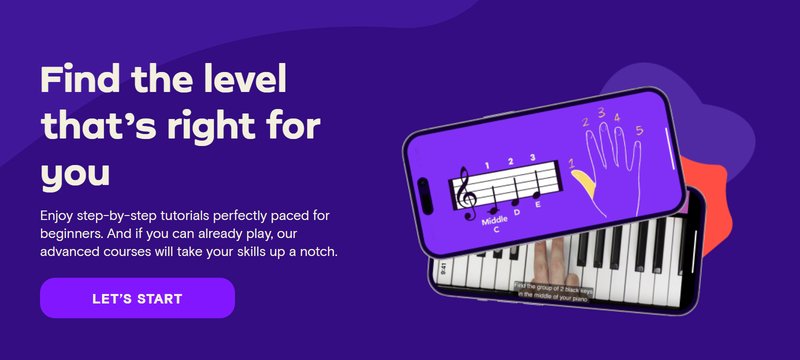
A beginner lesson, as shown on Simply’s website: finger numbers above the stave and a keyboard hint below.
For the first few months this is a well-paced way in. The weakness is depth. The courses teach you to play the notes on the screen more than they teach you to read music, count rhythms or understand what you are playing, and by the time the pieces get harder the app’s feedback has not kept up. That is why it works best as one part of how you learn. Paired with a teacher, or with a method book such as Alfred’s or Faber’s, it is a motivating way to practise between lessons.
The song library
The songs are the other big draw. Simply says there are more than 5,000, from classical pieces to film and Disney music and chart hits, and each one comes in several versions so you can start with an easy arrangement and move up as you improve. You can set a favourite song as a goal from the start, which helps a lot with motivation.
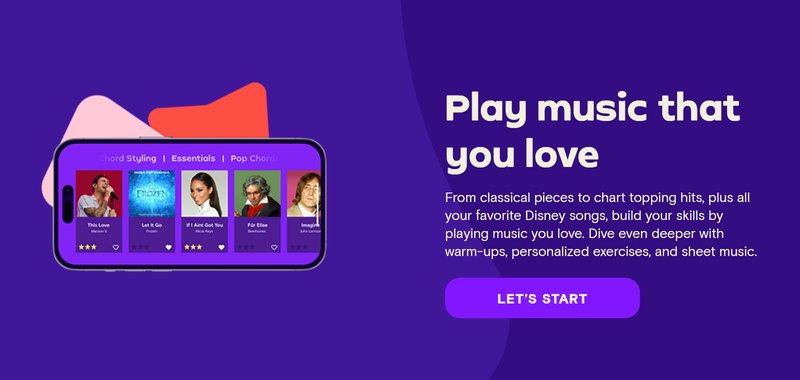
The song library, as shown on Simply’s website.
Songs can also be played from ordinary sheet music in the app, not just the scrolling notes, which is good practice for reading. If one particular song is your reason for signing up, check it is in the library during the free trial.
What long-term learners say
We read through several years of comments from people who have used Simply Piano, from complete beginners to piano teachers whose students started on it. Opinions split sharply, but the same points come up again and again.
What they like: above all, that it gets them practising. People who had given up before say the short lessons, streaks and stars kept them at the keyboard every day, some for more than a year. Many say they could read very simple music within days, and the large library of songs at different levels is praised often, because finding pieces that suit a beginner is hard. Parents like it as a way to see whether a child enjoys the piano before paying for lessons, and several adults say it was a good first step before moving on to a teacher or method books without any trouble.
What they don’t: the most common complaint is that it teaches you the notes but not how to play well. Posture, fingering, dynamics and phrasing get little attention, and teachers report students arriving from the app with habits to unlearn. Timing is judged loosely, so you can get three stars with uneven rhythm, and some say they ended up following the scrolling notes and finger numbers rather than really reading the stave. The usual verdict is that it is excellent for the first one to three months and then you hit a plateau. Price is the other big grumble, especially outside the US, and a few people say they meant to choose a monthly plan and were charged for a year, so check which plan is selected before you confirm.
Their advice: try the free lessons and the trial before committing, compare the price on the website with the one in the app, and add a teacher or an inexpensive method book (Faber’s Adult Piano Adventures and Alfred’s Adult All-in-One are the usual picks) once the basics are in place. Plenty of experienced players describe it as the Duolingo of piano: a great way to start and to keep a habit going, not the whole journey.
Pros and cons
| Pros | Cons |
|---|---|
|
|
Simply Piano vs Flowkey, Skoove, Playground Sessions and Piano Marvel
| Yearly (US) | Runs on a computer? | Best at | |
|---|---|---|---|
| Simply Piano | $119.99 to $149.99 | No (Chromebook only) | Getting a complete beginner playing and practising every day |
| Flowkey Premium | $149.99 | Yes, in a browser | Learning particular songs by watching a pianist’s hands |
| Skoove | $149.99 | No | A step-by-step beginner path on a phone or tablet |
| Playground Sessions | $149.99 | Yes | A fuller video course built around songs |
| Piano Marvel | $129.99 | Yes | Sight reading, technique and measurable progress |
Simply Piano and Flowkey are the two apps people most often weigh up. Simply Piano is the friendlier start and the stronger habit-builder; Flowkey is better for learning a particular piece, because you watch real hands and can slow down, loop and practise one hand at a time, and it works on a computer. If you want more structured teaching than either, Playground Sessions has more lesson content, and Piano Marvel is the one learners most often move to when they want to read music properly. Our Simply Piano vs Flowkey comparison goes through the differences in detail.
How we tested: We went through Simply Piano’s sign-up on its website, checked the plans, prices and policies on hellosimply.com, in its help centre and in the App Store in November 2026, and read through what learners say about it after months of use.
Frequently asked questions
Is Simply Piano worth it?
For a complete beginner who wants a fun way to start and the push to practise every day, yes, especially on the yearly plan. If you want to read music fluently or get feedback on your technique, it is better used alongside a teacher or a method book, or as a first step before something more thorough.
How much does Simply Piano cost?
Prices vary by country and by where you buy. In November 2026 the US App Store listed the yearly plan at $119.99 or $149.99 and the yearly Family plan at $179.99; on Simply’s UK website the yearly plan was £129.90 and the monthly plan £13.90.
Is Simply Piano free?
The Piano Basics course and a short on-screen keyboard course are free with no time limit. The song library and the later courses need a subscription.
Does Simply Piano have a free trial?
Yes, 7 days on the yearly plan, one per account. It becomes a paid yearly subscription unless you cancel at least 24 hours before it ends.
Can you actually learn piano with Simply Piano?
You can learn to play simple pieces with both hands and find your way around the keyboard, and many people do. Most learners find it doesn’t take them far in reading music, rhythm or technique on its own, so plan to add a teacher, a method book or a more thorough course as you progress.
Does Simply Piano work on a computer?
Only on a Chromebook, and Simply says that isn’t fully supported. There is no version for Windows, Mac or a web browser; it is made for phones and tablets.
Does Simply Piano work with an acoustic piano?
Yes. It listens through your device’s microphone, so any piano or keyboard works. With a digital piano or keyboard you can also connect by MIDI, by Bluetooth on an iPhone or iPad or with a cable.
How do I cancel Simply Piano?
Cancel where you paid: in your iPhone’s Settings under Subscriptions, in the Google Play Store under Payments & subscriptions, or, for a website purchase, in the app under Menu, Settings, My Account, Manage. Deleting the app doesn’t cancel the subscription.
What’s better than Simply Piano?
It depends on what you want. Flowkey is better for learning specific songs and works in a browser, Playground Sessions has more structured video lessons, and Piano Marvel is better for sight reading and technique.
Final verdict
Simply Piano does the hardest job in learning an instrument better than almost anything else: it gets you to sit down and play, a little every day, and it makes the first few months fun. Start with the free Piano Basics course to check that it hears your piano, take the yearly plan if you enjoy it, and cancel the trial in good time if you don’t. Just don’t expect it to make you a rounded pianist on its own. When the songs start to feel like copying rather than learning, that is the moment to add a teacher or move on to something more thorough.